
The Risk of Lost Evidence: Why ChatGPT History Is Not a Legal Repository
A partner asks you to retrieve the contract clause analysis you generated last week. You open ChatGPT, scroll through dozens of threads, and realize the conversation is gone—or worse, you can’t remember which thread contained the critical language.
For law firms, this isn’t just inconvenient. It’s a liability.
ChatGPT conversations are ephemeral by design. They lack:
- Audit trails: No timestamp metadata for compliance reviews
- Search functionality: Finding specific precedent analysis requires manual scrolling
- Structure: Research scattered across threads with no taxonomy
- Backup: Platform changes or account issues can erase months of work Legal work demands permanence. Every research session, every clause draft, every case strategy discussion is potential work product. If you can’t retrieve it, you can’t defend it.
Building a Clause Library: From AI Generation to Structured Repository
Legal drafting involves recurring patterns—force majeure clauses, indemnification language, jurisdiction-specific provisions. ChatGPT excels at generating these, but only if you preserve them systematically.
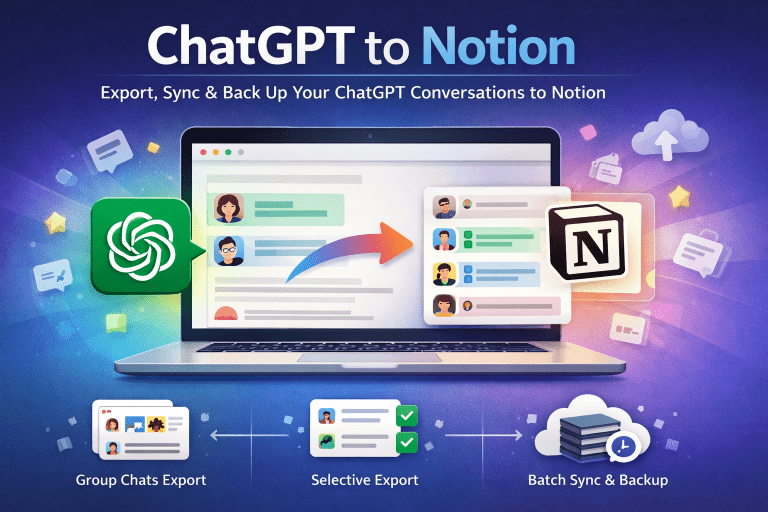
The ChatGPT2Notion extension solves this problem by creating a direct bridge between your AI conversations and your Notion workspace.
Operational Workflow
Step 1: Generate Clause Variations
Prompt ChatGPT to draft multiple versions of a clause:
Draft three force majeure clauses for commercial leases:
1. Landlord-favorable (California)
2. Tenant-favorable (New York)
3. Balanced (Delaware)

Include pandemic-specific language and cite relevant case law.
ChatGPT returns a structured table with clause text, jurisdiction notes, and case citations.
Step 2: Preserve Structure with One Click
Manual copy-paste destroys formatting. Tables become plain text. Citations lose hyperlinks. Clause numbering breaks.
With proper tooling, you save ChatGPT to Notion while preserving:
- Table structure (clause variations in columns)
- Header hierarchy (H2: Jurisdiction, H3: Clause Type)
- Code blocks (if including statutory text)
- Metadata (conversation date, source link) Step 3: Tag and Categorize
Your Notion database becomes a searchable clause repository:
Filter by jurisdiction when drafting. Search by clause type when reviewing. Track updates for version control.
Case Note Archiving: Turning Strategy Sessions into Structured Memos
Pre-trial strategy discussions with AI can surface critical insights—witness credibility analysis, evidentiary gaps, counterargument preparation. These sessions are attorney work product. They must be preserved.
The Problem with Unstructured Notes
You spend 30 minutes with ChatGPT analyzing deposition transcripts. The AI identifies three inconsistencies in witness testimony. You close the tab.
Two weeks later, during trial prep, you need those inconsistencies. You can’t find them. You re-do the analysis, wasting billable hours and risking different conclusions.
The Solution: Structured Case Memos
Scenario: Witness Credibility Analysis
You ask ChatGPT to review deposition excerpts and flag inconsistencies. The AI generates:
- Timeline discrepancies
- Contradictions with documentary evidence
- Impeachment opportunities Instead of leaving this in ChatGPT, you archive it as a structured case memo in Notion:
Notion Page Title: Case #2025-CV-1234 - Witness Analysis: John Doe
Database Fields:
-
Case ID: 2025-CV-1234
-
Research Topic: Witness Credibility - Deposition Review
-
AI Summary: Three timeline inconsistencies identified; documentary evidence contradicts testimony on contract signing date
-
Date: 2026-01-05
-
Status: Ready for Cross-Examination Prep
-
Source: [ChatGPT Thread Link] This structure enables:
-
Team collaboration: Associates can review analysis without re-prompting AI
-
Audit compliance: Timestamped records of research methodology
-
Efficient retrieval: Search by case ID or research topic during trial prep Similar to how consultants build strategic knowledge bases from ChatGPT brainstorms, legal professionals benefit from systematic archiving of AI-generated research and analysis.
Data Privacy: Your Client Data Stays Between You and Notion
Legal ethics rules prohibit sharing client information with unauthorized third parties. When using AI tools, data sovereignty is non-negotiable.
How ChatGPT2Notion Protects Confidentiality:
- Direct Bridge Architecture: The extension operates as a client-side tool. Your ChatGPT conversations transfer directly to your Notion workspace. No intermediate servers. No data retention by the tool provider.
- Zero Data Storage: We don’t store, log, or access your conversations. The extension reads from ChatGPT’s interface and writes to Notion’s API—nothing more.
- Your Infrastructure: Both ChatGPT (OpenAI) and Notion are platforms you already control via your firm’s enterprise agreements. ChatGPT2Notion simply automates the manual transfer you’d otherwise do via copy-paste. Due Diligence Recommendation:
Review your firm’s existing data handling agreements with OpenAI and Notion. Ensure ChatGPT Enterprise (not free tier) is used for client matters. Verify Notion workspace settings restrict external sharing.
ChatGPT2Notion inherits the security posture of your existing tools—it doesn’t introduce new data exposure.
Establishing a Legal Knowledge Repository
Law firms operate on institutional knowledge. Junior associates learn from senior partners’ research. Precedent analysis compounds across cases. But only if it’s preserved.
Recommended Notion Database Structure
Database Name: ⚖️ Legal Case Manager
Core Fields:
-
Case ID: Matter number or docket reference
-
Research Topic: Contract analysis, witness prep, motion research, etc.
-
AI Summary: 2-3 sentence synopsis of key findings
-
Date: Timestamp for audit trails
-
Attorney: Who conducted the research
-
Status: Draft / Reviewed / Filed / Archived
-
Jurisdiction: Relevant court or governing law
-
Source Link: Original ChatGPT thread for traceability Advanced Fields:
-
Related Cases: Link to other matters with similar issues
-
Precedent Cited: Key cases referenced in analysis
-
Client: (If using separate client databases) This taxonomy transforms scattered AI conversations into a searchable, auditable legal research repository.
Workflow Efficiency Without Compromising Rigor
Legal work demands precision. AI tools must enhance—not replace—attorney judgment. Structured archiving supports this balance.
What This System Enables:
-
Faster onboarding: New associates access prior research on similar issues
-
Consistent quality: Reuse vetted clause language across matters
-
Audit readiness: Timestamped records demonstrate due diligence
-
Reduced redundancy: Search existing research before re-prompting AI What This System Doesn’t Do:
-
Replace legal review (AI output still requires attorney verification)
-
Substitute for case management software (this is research archiving, not docketing)
-
Guarantee ethical compliance (you must still follow bar rules on AI use)
Conclusion: Permanence for Legal Work Product
Your legal research is intellectual property. Your case strategies are attorney work product. Your clause libraries are competitive advantages.
Don’t let them evaporate in ChatGPT’s ephemeral interface.
Build your knowledge base with structured archiving. Establish audit trails. Enable team collaboration. Protect your due diligence process.
Ready to secure your legal research workflow? Install ChatGPT2Notion and archive your first case memo in under 60 seconds.
Also a consultant? Check out our guide on building a knowledge base for consultants.
ChatGPT to Notion for lawyers, legal research workflow, Notion case management, archiving AI legal analysis