
Overview & Getting Started
Transform your Gemini AI conversations into shareable, archivable PDF files with one-click export
Transform your Gemini AI conversations into clean, professional PDF files. Export, archive, and share your AI interactions with perfect formatting preservation.
Why Gemini to PDF?
Your Gemini conversations contain valuable research, insights, and creative work. But they’re locked in your browser, difficult to share, and at risk of being lost. Gemini to PDF solves this by converting your AI conversations into portable, shareable PDF files that preserve every detail.
Key Features
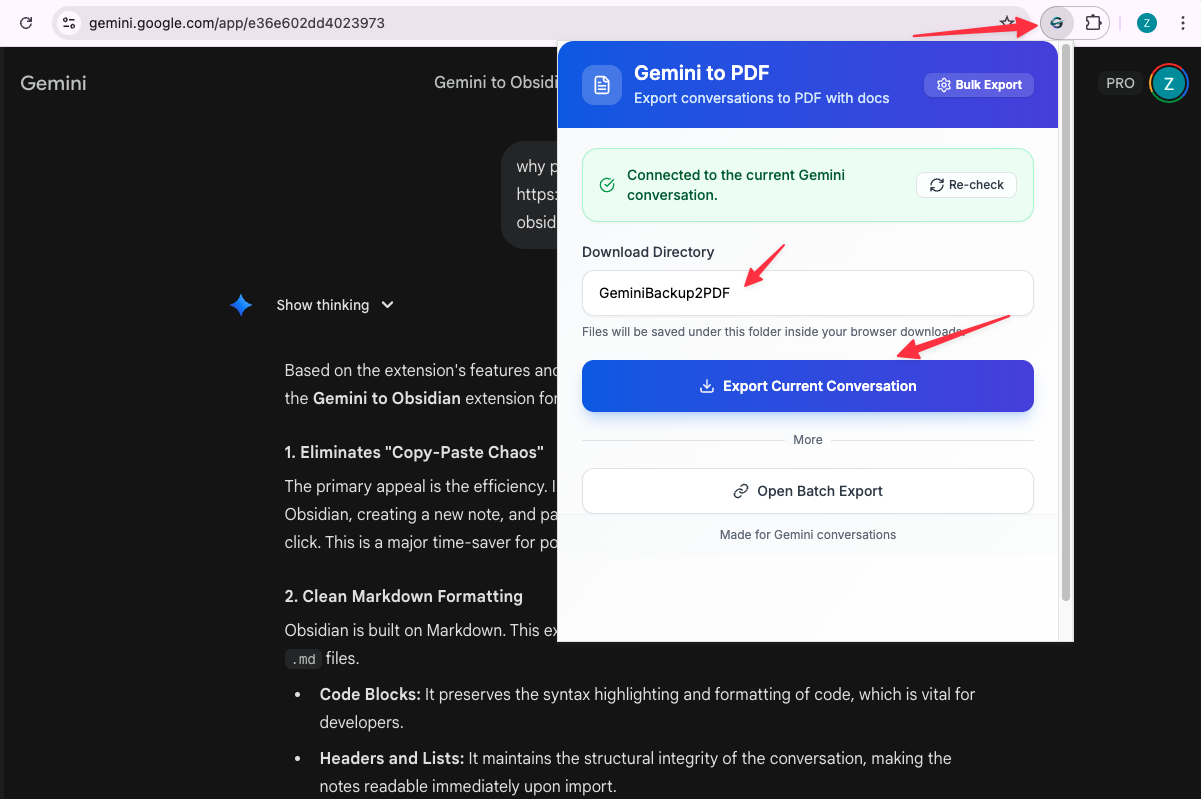
One-Click Export
Save any Gemini conversation to PDF with a single click. No configuration, no manual copying—just clean, formatted PDFs ready to share or archive.
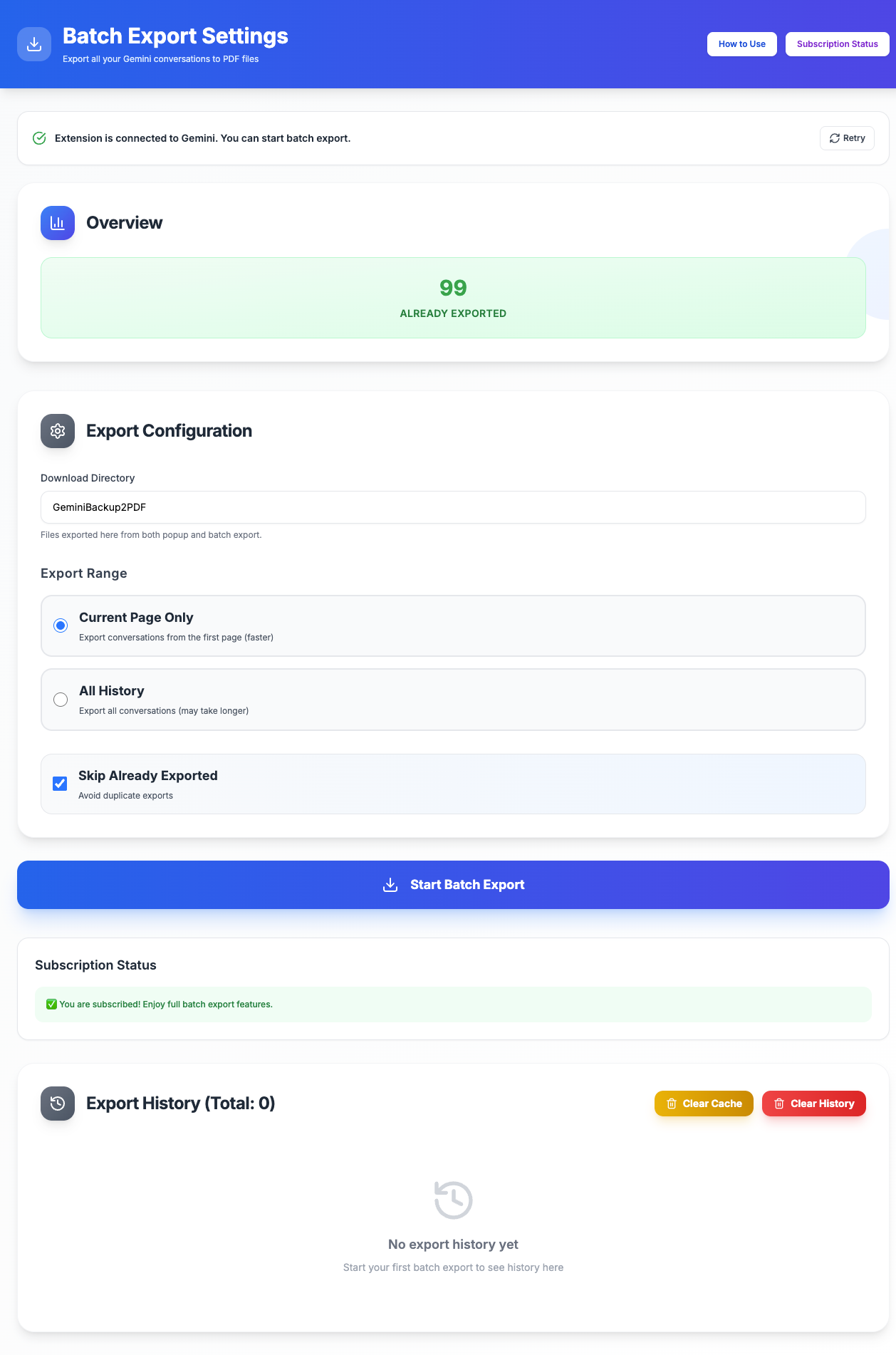
Batch Export
Export multiple conversations at once. Perfect for archiving your entire chat history or backing up important research sessions. The extension handles everything automatically.
Perfect Formatting Preservation
Every element of your conversation is preserved:
- Markdown formatting
- Code blocks with syntax highlighting
- Images and diagrams
- Tables and lists
- LaTeX equations
- All text formatting
Sub-Document Support
When your Gemini conversation includes linked documents or attachments, the extension automatically detects and embeds them into your PDF. No manual downloads needed—everything is included in one complete file.
Smart Connection Detection
Real-time status monitoring ensures the extension is properly connected to your Gemini page before export. Clear error messages guide you if something goes wrong.
Daily Export Tracking
Free users get 5 exports per day with automatic reset at midnight. Track your usage directly in the extension popup. Subscribed users get unlimited exports.
Skip Already Exported
Intelligent tracking prevents duplicate exports. The extension remembers what you’ve already saved and can automatically skip those conversations during batch export.
Export Summary
After batch export, view detailed statistics:
- Total conversations processed
- Successful exports
- Skipped (already exported)
- Failed exports with error details
100% Local Processing
Your data never leaves your browser. All PDF generation happens locally using Chrome’s built-in capabilities. No cloud uploads, no privacy concerns.
Who Is This For?
Researchers: Archive AI-generated insights and research findings for your projects.
Students: Save study sessions and tutoring conversations for offline review.
Developers: Preserve code examples and technical discussions with perfect formatting.
Professionals: Document work discussions and create shareable reports from AI interactions.
Knowledge Workers: Build a reliable, searchable archive of your AI conversations.
How It Works
- Install: Add the extension from Chrome Web Store
- Open: Navigate to your Gemini conversations at gemini.google.com
- Export: Click the extension icon and choose single or batch export
- Download: PDFs are automatically saved to your browser’s download folder
What You Get
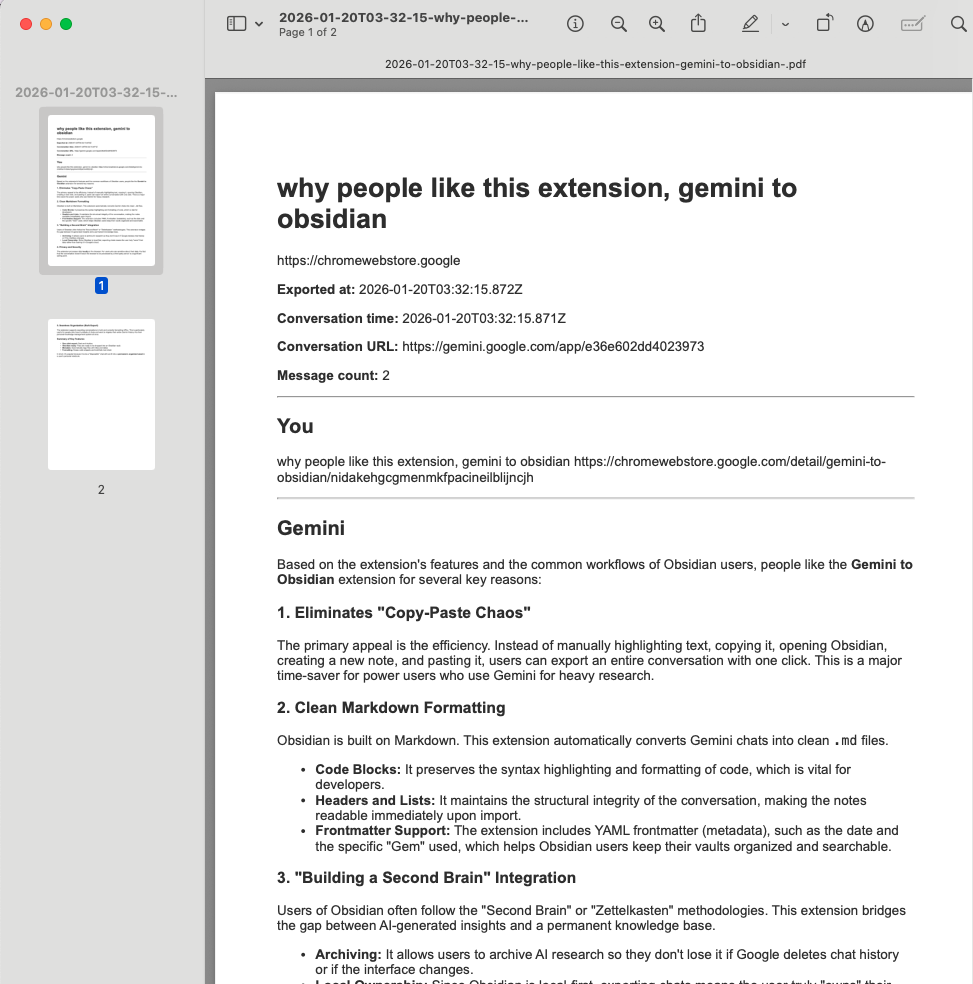
Each exported PDF includes:
- Clean formatting: Professional layout with preserved structure
- Complete content: All messages, code blocks, images, and attachments
- Sub-documents: Linked documents automatically embedded
- Readable fonts: Optimized for both screen and print
- Searchable text: Full-text search within the PDF
Privacy & Security
Local Processing: All PDF generation happens in your browser. Your conversations never leave your device.
No Cloud Storage: We don’t upload, store, or process your data on any server.
Debugger Permission: Chrome’s PDF generation API requires the debugger permission. You may see a “DEV| Batch Export Gemini to PDF started debugging this browser” notification during export—this is normal and expected behavior for PDF generation.
Recent Updates
January 2025: Sub-document parsing and embedding, smart connection detection, daily export limits, export summary with detailed statistics.
December 2024: Improved PDF formatting for long code blocks and complex tables.
November 2024: Initial release with one-click export, batch export, and local processing.
Next Steps
Ready to get started? Follow our Installation Guide to set up the extension.
Need more help? Contact Support