
Perplexity to Notion v3.2 Overview
Save Perplexity searches, Spaces, computer tasks, sources, related questions, and embedded documents to Notion
Perplexity to Notion 3.2.0 saves the current Perplexity search or computer task to Notion and provides a full Batch Export workspace for history, Spaces, filters, recurring sync, and export records.
What v3.2 Can Export
- Standard Perplexity conversations at
https://www.perplexity.ai/search/{id} - Perplexity computer tasks at
https://www.perplexity.ai/computer/tasks/{id} - All regular conversation history
- Conversations from one or multiple Perplexity Spaces
- Only items active on or after a selected date
- Sources and Related Questions when the option is enabled
- Embedded Perplexity document assets when their source content is available
The current popup and Batch Export interface save to Notion. They do not expose a local Markdown download action.
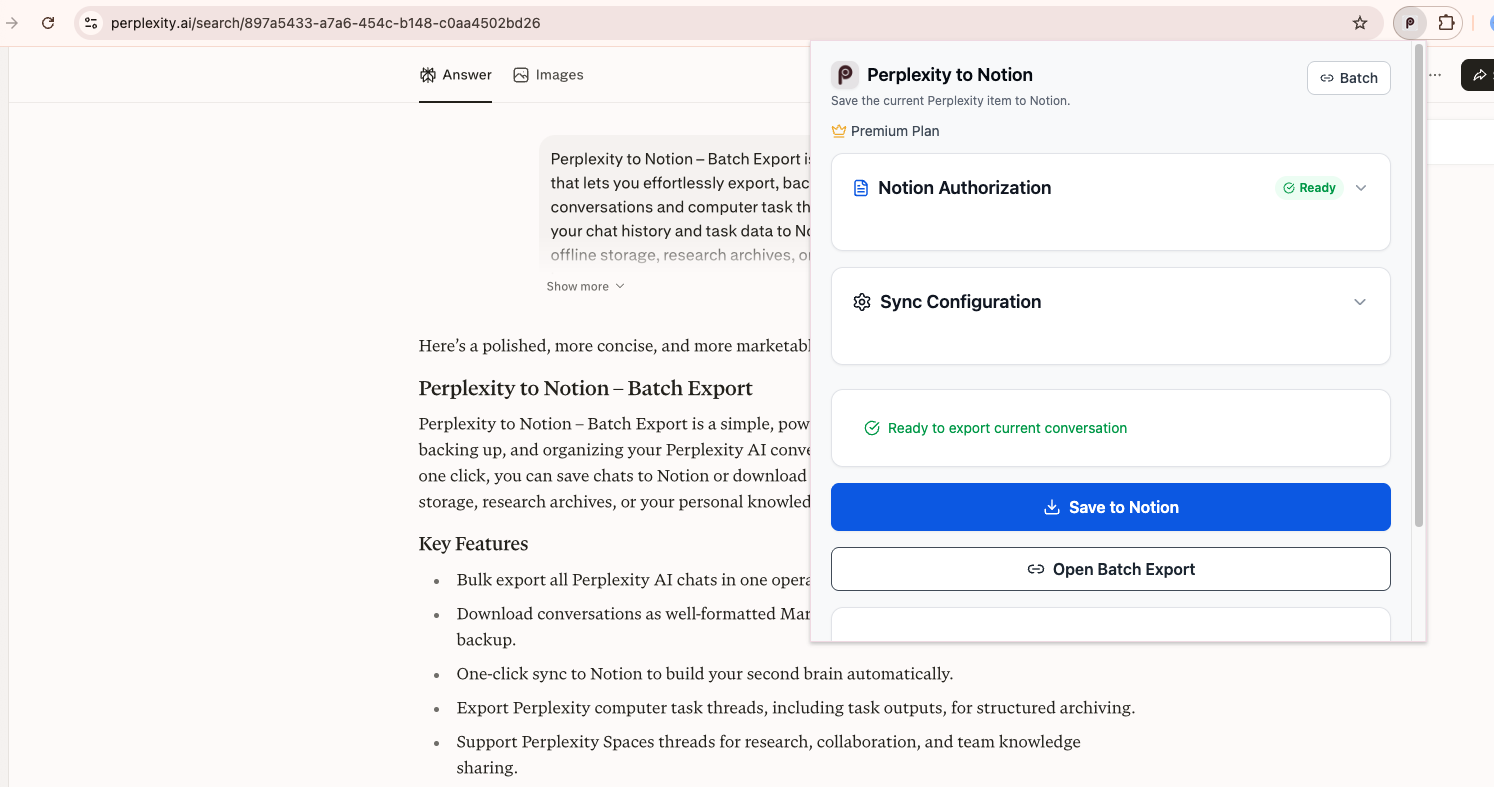
The connected popup detects the current conversation and provides single-page and Batch Export actions.
Two Export Workflows
Save the Current Page
Open a supported Perplexity search or computer task, then use Save to Notion in the popup. The active browser tab must be the page you want to save.
Batch Export
Open Batch Export to choose among:
- All Threads
- Computer Tasks
- From Spaces
The page also provides a date filter, thread selection, Save Selected to Notion, Save All to Notion, progress and cancellation, failure details, local export history, and Auto-Sync.
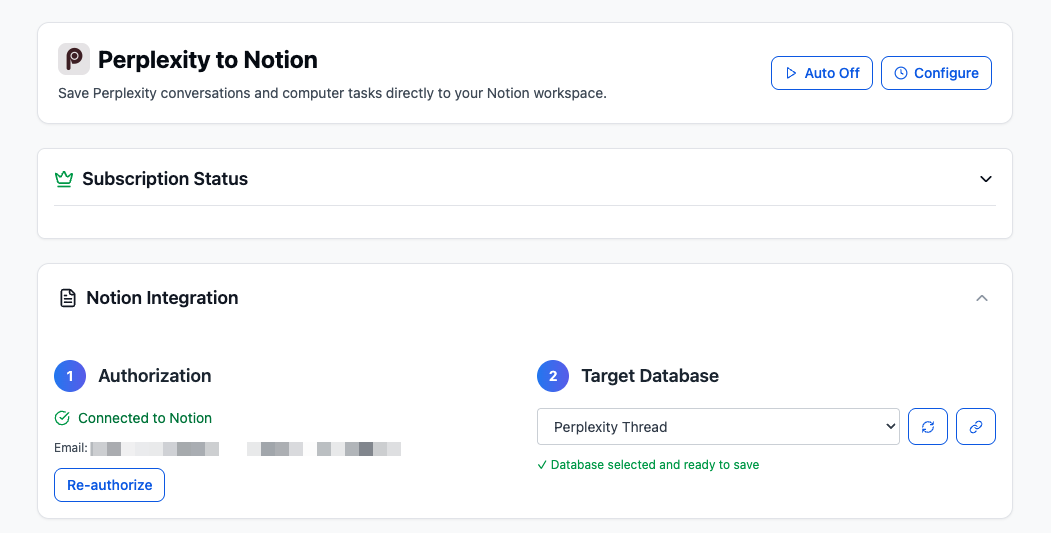
Batch Export keeps subscription, Notion connection, database selection, sync configuration, and data-source controls in one workspace.
Duplicate and Repeat Export Controls
v3.2 has two separate controls:
- Skip exported records checks a local list of Perplexity item IDs. When enabled, locally recorded items are disabled or skipped before export.
- Sync Configuration checks the target Notion database by the
URLproperty:- Skip if exists keeps the matching page.
- Overwrite if exists moves matching pages to trash, then creates the current export.
- Always insert new creates another page without a URL-existence check.
To re-export an item with Overwrite if exists or Always insert new, first disable Skip exported records or clear the exported-record cache.
What the Notion Page Contains
The main database row can include:
- Normalized title
- Original Perplexity
URL Chat TimeSpace Namewhen collection metadata existsTasktag for computer-task exports
Conversation content is grouped under H1 YOU and Perplexity sections. Supported Markdown structures are converted into Notion blocks. Sources and Related Questions are optional.
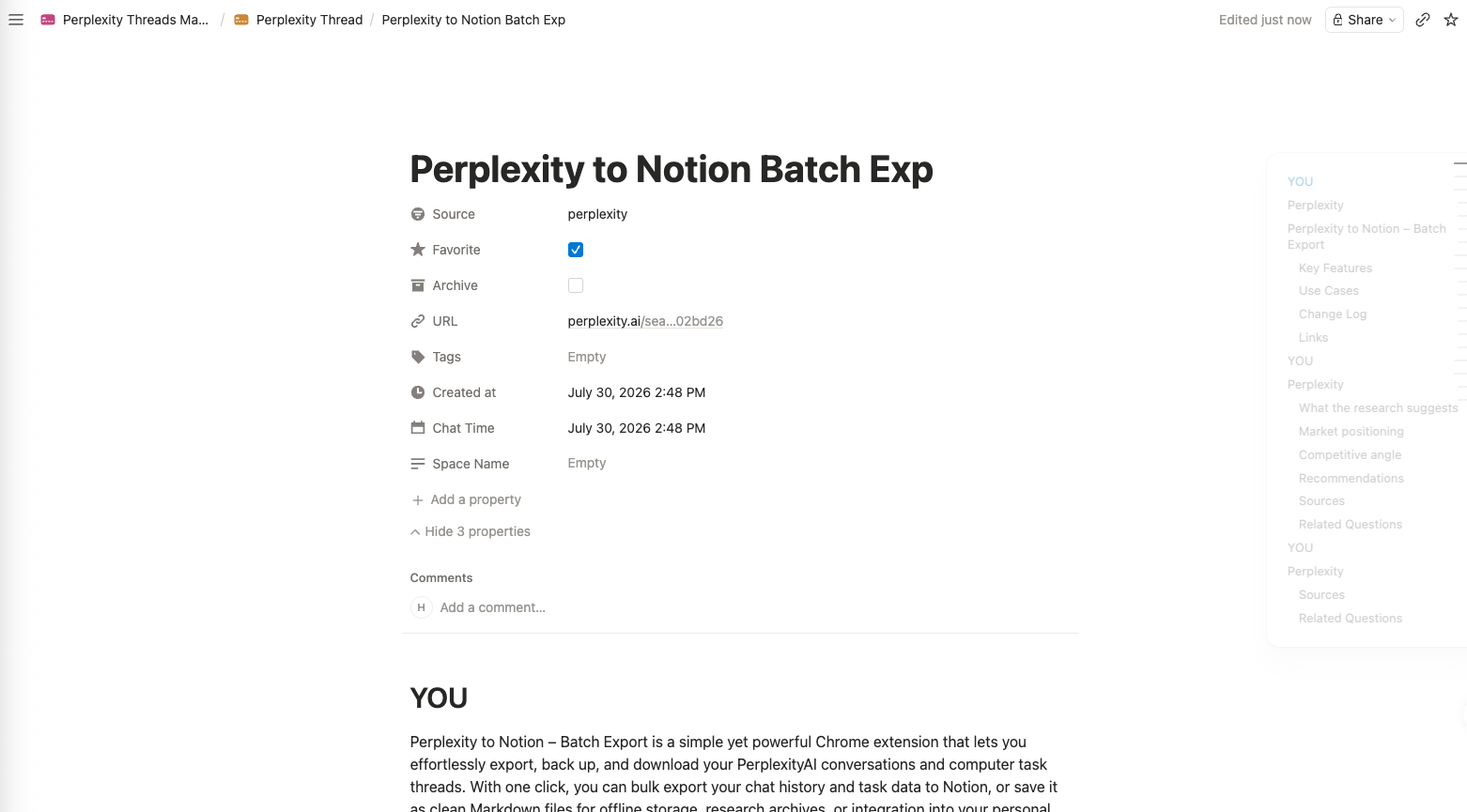
An exported Notion page preserves source properties and structures the conversation under YOU and Perplexity sections.
Embedded Perplexity Documents
When a Perplexity response includes a DOC_FILE asset with source content, the extension:
- Creates a Notion child page for the document.
- Converts its available text, Markdown, HTML, JSON, or plain-text content into Notion blocks.
- Inserts a child-page reference at the matching location in the conversation.
See Notion Output & Attached Documents for details.
Requirements and Limits
- Chrome with Perplexity to Notion
3.2.0 - A signed-in
www.perplexity.aitab - The Perplexity tab refreshed after installing or updating the extension
- Notion OAuth authorization
- A compatible target database shared with the integration
- Batch Export page kept open during manual batch runs and Auto-Sync
Free users can batch-export up to five successful items per day. Current-page save remains available, but successful saves contribute to the counter used by free batch export.
Next Steps
Ready to try Perplexity To Notion?
Open the product page for feature details, screenshots, pricing, and the Chrome Web Store install link.