
Overview & Getting Started
Bulk export Claude history, batch-select conversations, or export complete Claude Projects as structured Notion pages
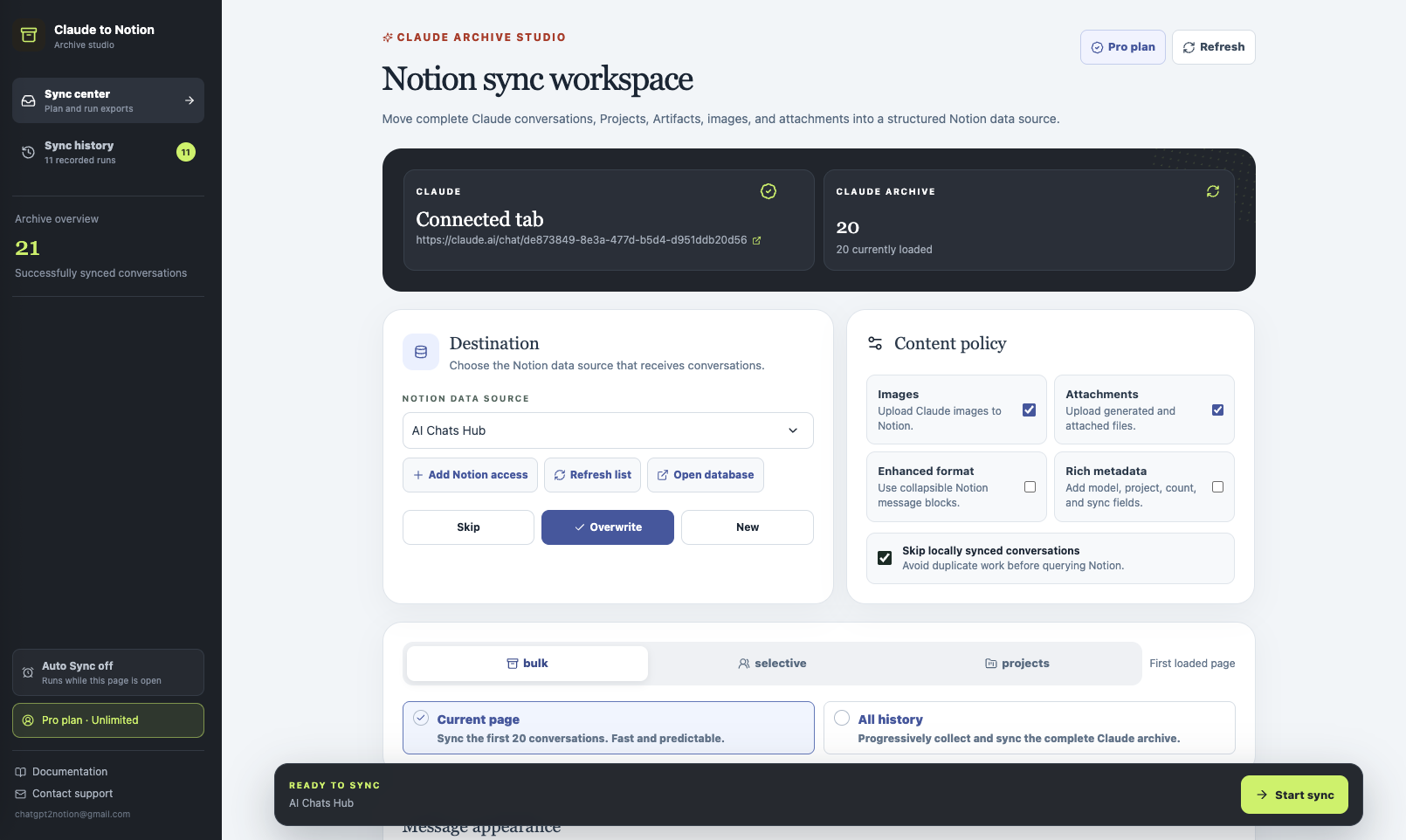
Claude to Notion is built for exports larger than one chat. Bulk sync the current archive page or complete Claude history, batch-select many conversations from a searchable list, or export an entire Claude Project while keeping its context in Notion. One-click active-chat export and Custom Export remain available for smaller, focused saves.
Watch the complete workflow
This 3-minute walkthrough demonstrates active-chat export, Custom Export, bulk and selective sync, Claude Projects, Artifacts, files, and the final structured Notion result.
Watch the Claude to Notion walkthrough on YouTube.
Choose the right workflow
| Goal | Workflow |
|---|---|
| Back up the latest history page | Sync Center → Bulk → Current page |
| Back up the complete Claude archive | Sync Center → Bulk → All history |
| Batch-select specific history items | Sync Center → Selective |
| Bulk export a Project | Sync Center → Projects |
| Save several chats you already reviewed | Sync opened tabs |
| Save the chat currently open | Sync this conversation in the popup |
| Remove false starts or private messages | Custom export |
What the extension preserves
Depending on the source conversation and your content settings, a Notion page can include:
- User and Claude messages in their original order
- Markdown, headings, lists, links, code blocks, and timestamps
- Artifact content and version history exposed by Claude
- Supported images, SVG content, PDFs, attachments, and generated files
- Project name, model, message count, conversation ID, and created or updated dates
- A clickable link back to the original Claude conversation
If a readable text attachment cannot be uploaded directly, the extension can preserve its source in a linked child page instead of silently dropping it.
Before your first export
- Install and pin the extension from the Chrome Web Store.
- Sign in at claude.ai.
- If Claude was already open when you installed the extension, refresh that tab once.
- Connect your Notion workspace.
- Select the Notion data source that should receive conversations.
Content policy
The Sync Center lets you control what goes into the destination:
- Images transfers supported Claude images.
- Attachments transfers attached and generated files.
- Enhanced format uses collapsible Notion message blocks.
- Rich metadata adds model, Project, message count, and sync fields.
- Skip locally synced conversations avoids duplicate work before querying Notion.
Conflict modes
Choose what happens when the same Claude conversation already exists:
- Skip leaves the existing Notion page unchanged.
- Overwrite replaces the previously exported page.
- New creates another page.
For a recurring knowledge archive, start with Skip plus local sync tracking. Use Overwrite only when the Notion copy should be refreshed from Claude.
Progress, history, and failures
Long exports report both conversation progress and detailed activity for attachment downloads, file uploads, page-content batches, and child-page creation. The extension retains up to 20 recent runs locally, including saved, skipped, failed, and cancelled totals.
When an item fails, open its details to see the conversation, processing stage, and original API error. A sanitized developer report can be copied for support without manually assembling console output.
Free and Pro plans
The free plan includes five lifetime successful saves so you can test the full workflow. Pro enables continued use. All successful export paths share this allowance.
Next steps
Ready to try Claude To Notion?
Open the product page for feature details, screenshots, pricing, and the Chrome Web Store install link.